Paying for your order by PayPal
How PayPal works.
If you choose PayPal as your payment method when you check out,
PayPal will send you an email with a link to your PayPal invoice.
Go to PayPal and pay your invoice
Note that I have to be at work to be able to send out that PayPal invoice
If you order when the shop is closed, I will do it as soon as I get to the shop.
I do not accept PayPal E-Checks.
I have my PayPal account set to not accept E-Checks
E-Check's take several days to arrive and mess up my whole organized system of order processing.
After you pay your PayPal invoice, I will receive an email from PayPal
You will then get an email from me that has a PDF file attached.
This PDF file is a copy of your Sales Receipt showing parts and shipping totals.
My USPS shipping software will send you an email with your package tracking information when your package is shipped.
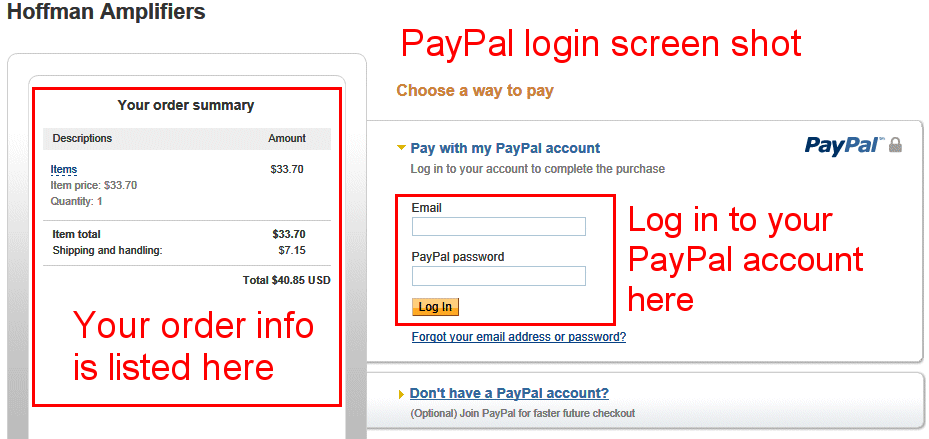
Below shows how the PayPal screens look when you go to pay
Note that these are PayPal screen shots, this is not where you log into PayPal
Note that the PayPal screens may look different since I created this page
Click on the images to see larger images

The details of your order show on the left side of the screen
Enter your login info and log into your PayPal account.

Your shipping info appears on the top right
Choose to pay from your PayPal balance
Hit the Pay Now button to pay from your PayPal account

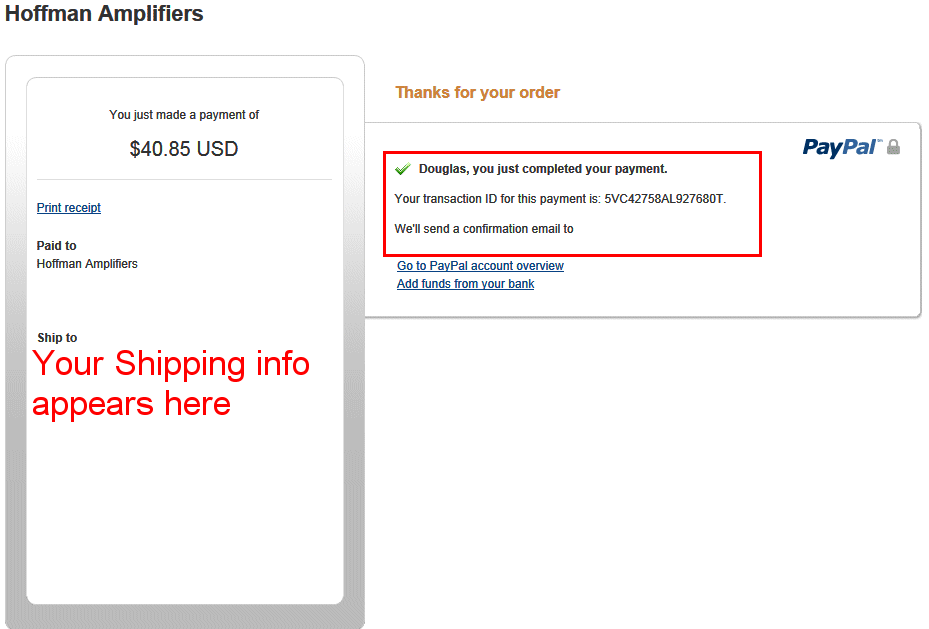
This is the payment confirmation screen
After you send your PayPal payment, I will receive an email from PayPal and process your order.
You will then get an email from me that has a PDF file attached.
This PDF file is a copy of your Sales Receipt showing parts and shipping totals.
My USPS shipping software will send you an email with your package tracking information when your package is shipped.